




Sprout Social is a great social media tool for social media managers or creators lucky enough to have the budget.
But it’s on the pricier end. Plans for solo users start at $99 per month ($79 if you pay annually), and plans for teams start at $249 per user per month ($199 if you pay annually).
It’s no doubt money well spent for large social media marketing teams at enterprise companies, but marketers at smaller companies or creators will have to work hard to justify that spend.
Thankfully, there are plenty of other great social media management tools out there that can do everything Sprout Social can do and more — often at a more affordable price point or even for free. Cost is one reason people look elsewhere, but it’s rarely the only one.
Here are a few worth weighing:
- Budget: Tools with per-user pricing can get costly quickly.
- Analytics: The need for simpler, more straightforward social media analytics.
- Interface: Wanting a tool that’s easier to use at every step from generating content ideas to creating reports.
- Platforms: Needing a social channel that’s not supported, such as Substack.
- API and MCP: The ability to quickly and easily build custom workflows and tools.
I’m a former Sprout Social user and social media consultant, and I’ve been around the block when it comes to social media management and analytics platforms. If any of the above apply to you, I’ve got a great list of Sprout Social alternatives to share.
In this article, I’ll explore some of the best, how much they cost, and their standout features.
Key takeaways
- Best overall value: Buffer has a real free-forever plan and pricing starting at $6/channel per month, making it the top choice for creators and small teams looking for an affordable Sprout Social alternative.
- Best for enterprise teams: Hootsuite is the closest match to Sprout Social’s own price point and complexity, built for large, well-resourced marketing and support teams that manage high message volume through social channels.
- Best for proving return on investment (ROI): Agorapulse is built around reporting that shows leadership social spend is working.
- Best for Instagram-driven influencer marketing: Later pairs visual planning for Instagram with a dedicated toolkit for running influencer campaigns.
- Best for agencies: Sendible is designed for managing multiple clients and social channels in one place.
- Best for content marketers: CoSchedule brings your blog, newsletter, and events into the same calendar as your social channels.
- Best for paid social: Metricool lets you manage Meta, Google, and TikTok ad campaigns alongside your organic content.
- Best for video creators: RecurPost’s Instagram, YouTube, and TikTok toolkit makes it the deepest option on this list for teams built around video.
- Pricing reality: Sprout Social’s team plan starts at $249/user per month with no free plan — every alternative here costs meaningfully less.
Sprout Social alternatives at a glance
| Tool | Best for | Starting price |
|---|---|---|
| Buffer | Creators, small to mid-sized businesses, and growing agencies that want a flexible, affordable social media management tool. | Free (paid plans from $6/channel/month) |
| Hootsuite | Large teams that handle many messages, comments, and support requests on social media. | 14-day free trial, then $149/user/month |
| Agorapulse | Marketing teams that need to provide ROI of social media to leadership. | 30-day free trial, then $99/user/month |
| Sendible | Agencies managing multiple clients and social media channels that need a more affordable alternative. | 14-day free trial, then $35/month |
| CoSchedule | Creators and teams looking to manage their entire marketing strategy from one platform. | Free (paid plans from $39/month) |
| Later | Brands that combine an Instagram-heavy presence with influencer marketing campaigns. | Free (paid plans from $25/month) |
| Metricool | Creators and marketing teams that want to manage ad campaigns alongside their social media content. | Free (paid plans from $25/month) |
| RecurPost | Creators and teams that have a video-heavy social media presence. | 14-day free trial, then $9/month |
The best Sprout Social alternatives:
1. Buffer
Best for creators, small to mid-sized businesses, and growing agencies that want a flexible, affordable social media management tool.
| Pricing information | Details |
|---|---|
| Free plan | ✅ |
| Paid plans | Starting at $6/channel per month (billed monthly) |
| Annual billing | 20% off on all paid plans |
| Free trial | ✅ 14 days |
I’m a long-time Buffer user, and no matter how many tools I’ve tried, I keep coming back to Buffer.
It offers most of the features creators, small teams, and agencies need without breaking the bank.
Buffer’s Free and Essentials plans are designed for one user to manage their entire social media presence at an affordable price tag.
Here’s what you get on the Free plan, which makes it one of the best free alternatives to Sprout Social available:
- Choose from a wide range of social media channels: You can connect to all the major social media platforms, including Twitter/X, LinkedIn, Facebook, Instagram, TikTok, Google Business Profile, Pinterest, YouTube, Threads, and Bluesky. Buffer also connects with newsletter platform Substack and decentralized network Mastodon, something you’re unable to do with Sprout Social.
- Schedule up to 30 posts at a time across three channels: Buffer’s Free plan lets you plan and schedule up to 10 posts per channel at a time (refillable as they’re published). That’s 30 posts ready to go at any time rather than the max you’re allowed. Crossposting makes it easy to draft a post and customize it for different platforms from the composer itself.
- Build a content bank: Use Create Space to save up to 100 content ideas until you’re ready to publish. Combine that with the template library (both pre-made and custom templates you can create for yourself) and you may never run out of ideas.
- Get analytics that are easy to understand and act on: You’ll find all your data and analytics in Insights, which shows you the numbers and tells you what you can do with them. AI-powered takeaways help you double down on what’s working, and you can export a snapshot of your data to share your progress.
- Reply to your audience: The Community inbox lets you reply to comments and mentions across all your social media channels in one place. You no longer need to hop between platforms or worry about missing a notification.
- Create custom tools and workflows with the API and MCP: You get one API key, detailed developer docs, support from the Buffer team, and encouragement from a passionate builder community in Discord.
- Use Buffer’s AI Assistant: Creating enough content for all your social media profiles all the time can be overwhelming, which is why our AI Assistant — available with unlimited usage on the Free plan — helps take the load off.
- Handy integrations: Buffer connects with Canva, Dropbox, OneDrive, Google Drive and Photos, Zapier, and more. Connecting these tools lets you pull images into your posts without leaving Buffer and automate parts of your workflow so everything works smoothly.
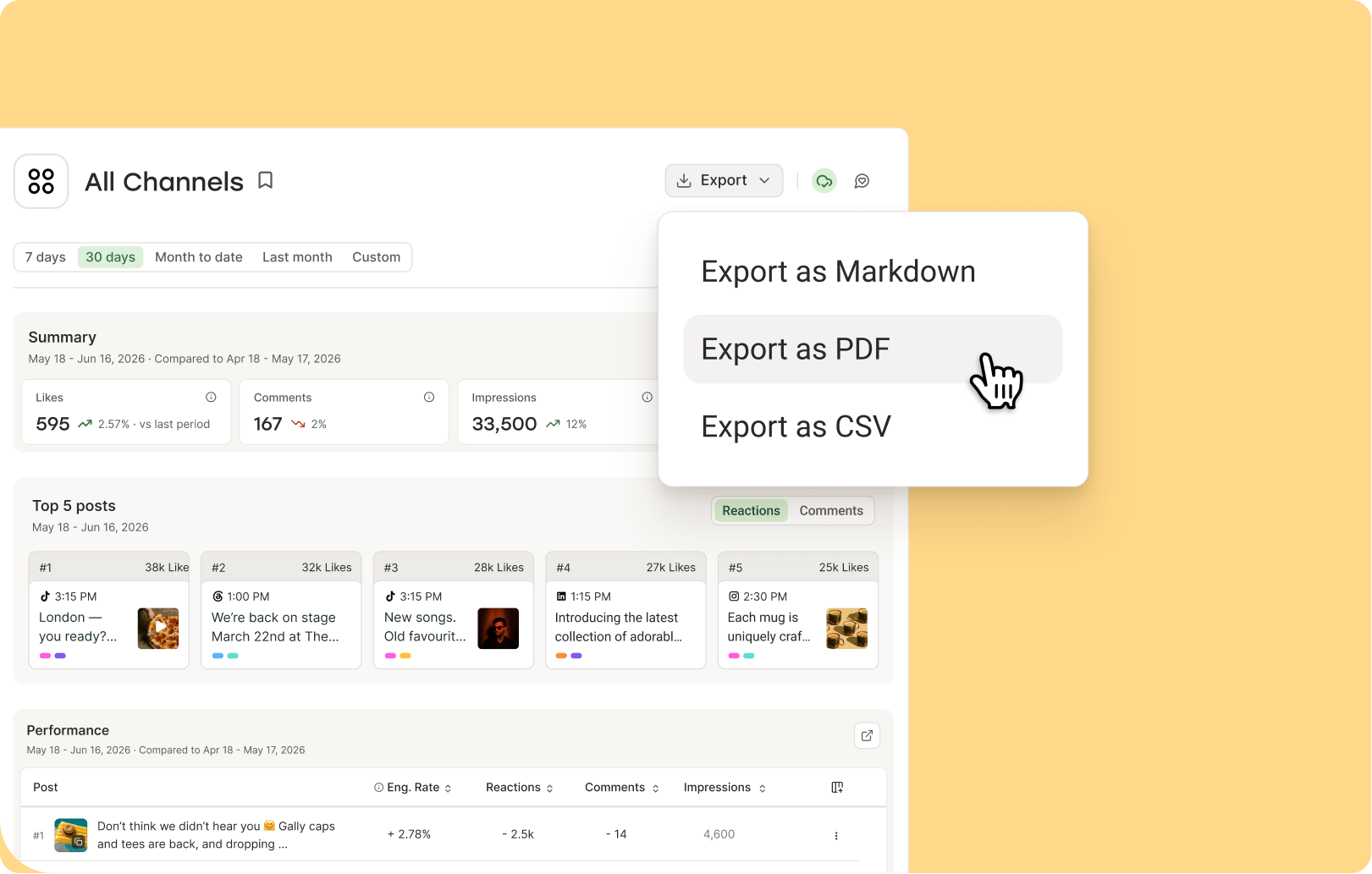
All of this is available on the Free plan, which is really free — no strings attached.
If you’re a creator who needs more than three social media accounts or advanced features, Buffer’s Essentials plan starts at $6/channel per month.
If you’re not ready to take the plunge, Buffer offers a 14-day free trial on all plans so you can put every feature through its paces first.
Buffer is a great option for teams — whether that’s for a business or agency — thanks to the straightforward team collaboration features.
The Team plan starts at $12/channel per month. Here’s what you can do with it:
- Add unlimited users at no extra cost: Each user has their own login and permission levels (more on this below), which makes it easier to keep track of who is working where.
- Set permission levels for different users: Choose exactly who can post or engage with your audience on each of your social media channels.
- Set up approval workflows: With these different permissions, some team members will need to ask for approvals on their posts before they’re published. This makes sure nothing goes out that isn’t supposed to and your (or your clients’) social media content stays on point.
- Collaborate on ideas: The Create Space is shared by all team members, so you can work together to refine ideas until they’re ready to publish. You can also add custom templates to the template library for the whole team to use.
- Leave notes for team members: You can add comments to posts that are in draft or pending approval mode. Team members with access to publishing features in that channel can read the notes and reply, so all collaboration takes place in Buffer itself.
Collaboration features are unique to teams. For other publishing, analytics, and engagement features, the Team plan enjoys higher limits and more advanced features like analytics exports in human- and AI-friendly formats.
2. Hootsuite
Best for large teams that handle many messages, comments, and support requests on social media.
| Pricing information | Details |
|---|---|
| Free plan | ❌ |
| Paid plans | Starting at $149/user per month (billed monthly) for up to 10 social channels |
| Annual billing | Between 20% and 34% off depending on your plan |
| Free trial | ✅ 14 days with some features restricted |
Hootsuite is another powerful social media management platform. It’s similar to Sprout Social in that it works well for marketing teams, but it also comes at a high price point. It’s a great option for well-resourced teams that collaborate with others, like customer support and success teams.

Hootsuite allows you to publish and schedule content for Facebook, Instagram, TikTok, YouTube, X/Twitter, Threads, LinkedIn, Bluesky, and Pinterest. It also boasts more than 100 apps and integrations — think Canva, Figma, Monday.com, HubSpot’s CRM, Zendesk, stock photo sites, and more.
The tool also has some great social listening features, approval workflows, bulk scheduling, and a unified social inbox that will combine public comments and messages for most of the channels it supports.
The inbox has some neat team collaboration features. You can assign messages to a team member, leave notes for the next person who takes over, create custom inboxes, and connect to support tools like Zendesk to create tickets straight from your social conversations.
3. Agorapulse
Best for marketing teams that need to provide ROI of social media to leadership.
| Pricing information | Details |
|---|---|
| Free plan | ❌ |
| Paid plans | Starting at $99/user per month (billed monthly) for up to 10 social channels |
| Annual billing | 20% off on all paid plans |
| Free trial | ✅ 30 days |
Agorapulse is similar to Hootsuite in that it would be a good Sprout Social alternative for medium-to-large marketing teams.

Agorapulse connects with all the major platforms, including Facebook, Instagram, TikTok, YouTube, LinkedIn, X/Twitter, and Pinterest.
It has similar features, too — an all-in-one inbox, deep analytics, robust reporting, approval workflows, and social listening tools that will allow you to keep your finger on the pulse (see what they did there?) of all the conversations that mention your brand.
Unlike some of the other options on this list, Agorapulse is really focused on proving the ROI (return on investment) of social media, so you can drill down on what content is actually driving leads, sales, or whatever is meaningful for your marketing goals. This can be particularly helpful if you’re looking to prove the success of your entire social media strategy to company leaders.
4. Sendible
Best for growing agencies managing multiple brands and social media channels that need a more affordable alternative to Sprout Social.
| Pricing information | Details |
|---|---|
| Free plan | ❌ |
| Paid plans | Starting at $35 per month (billed monthly) for 1 workspace that includes up to 6 social channels |
| Annual billing | 15% off on all plans |
| Free trial | ✅ 14 days |
Sendible works for both social media marketers and agencies alike. It’s a slightly pared-down system, but I’m sure some users will prefer this to the overwhelm of platforms like Sprout Social.
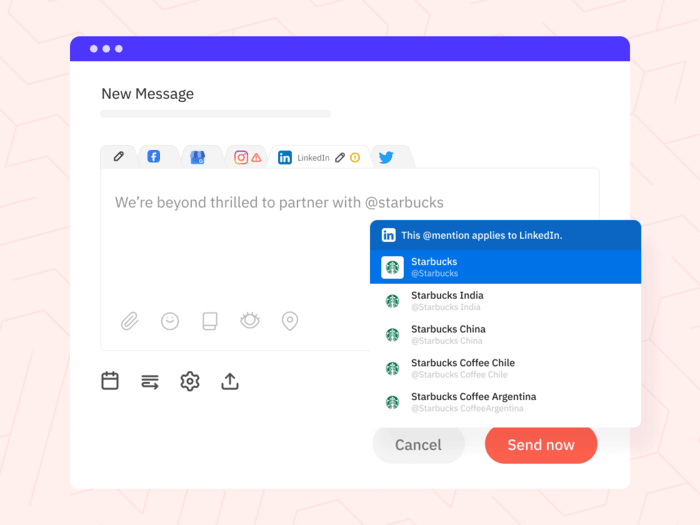
Sendible allows you to schedule posts on Facebook, Instagram, TikTok, X/Twitter, LinkedIn, YouTube, Threads, Bluesky, and Google My Business. Its dashboard is neat and streamlined, and you can view your scheduled, draft, and undelivered posts at a glance.
For teams, Sendible also has a handy ‘tasks’ system, where team members or clients can assign social media tasks, which is pretty nifty if you don’t work with a separate project management software.
It’s a particularly great marketing tool for agencies thanks to its separate workspaces, white label option, automated reports, and the Client Connect portal, where you’ll be able to give clients limited access. Since Sendible includes unlimited users on all plans, you won’t have to worry about your budget as your team grows.
5. CoSchedule
Best for creators and teams looking to manage their entire marketing strategy from one platform.
| Pricing information | Details |
|---|---|
| Free plan | ✅ |
| Paid plans | Starting at $39 per month (billed monthly) for up to 3 social channels |
| Annual billing | $10 off per month on all paid plans |
| Free trial | ✅ 14 days |
If you’re juggling a blog, newsletter, events, and other content alongside your social media efforts, CoSchedule is the only tool on this list that lets you see everything together.

It can be helpful to think of it as a project management system for a content marketing team. I can also see it being useful for full-time creators or influencers who are monetizing their content beyond social media.
It connects with a good variety of social media channels too (Facebook, Instagram, TikTok, YouTube, Threads, X/Twitter, Pinterest, LinkedIn, Bluesky, and Mastodon), along with WordPress and email marketing tools like Mailchimp and ActiveCampaign.
CoSchedule is laser-focused on being a marketing calendar tool, so you’ll have to look elsewhere if you’re after deep analytics or social listening tools.
6. Later
Best for brands that combine an Instagram-heavy presence with influencer marketing campaigns.
| Pricing information | Details |
|---|---|
| Free plan | ✅ |
| Paid plans | Starting at $25 per month (billed monthly) for 1 social set that includes up to 8 social channels |
| Annual billing | 25% off on all paid plans |
| Free trial | ✅ 14 days |
Later was created as an Instagram scheduler, so while the tool has expanded well beyond that, visual content planning is still at its core.
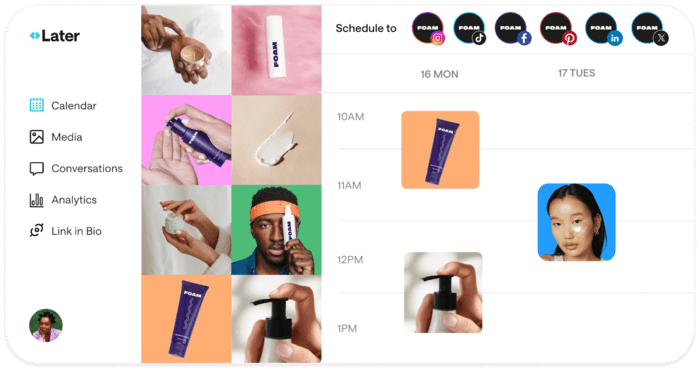
That said, Later allows you to publish to most major social networks, including TikTok, Facebook, Snapchat, LinkedIn, Threads, Pinterest, and YouTube along with some analytics for these channels.
It has some nifty features, though all of them are largely centered around Instagram — Best Time to Post on Instagram, Instagram hashtag suggestions, and of course, that helpful visual planner for an aesthetic feed, for example.
Later has recently expanded its features for creators and enterprise brands, with a strong focus on influencer marketing. It’s a separate platform and cost for enterprises and is designed to run influencer campaigns from start to finish. Creators can use Later to find and partner with brands to earn on commission on sales.
If Instagram and influencer campaigns are a big part of your strategy, Later may just be the right Sprout Social alternative for you.
🎯
7. Metricool
Best for creators and marketing teams that want to manage ad campaigns alongside their social media content.
| Pricing information | Details |
|---|---|
| Free plan | ✅ |
| Paid plans | Starting at $25 per month (billed monthly) for up to 5 brands |
| Annual billing | 20% off on all paid plans |
| Free trial | ✅ 14 days |
Metricool is an easy-to-use platform largely aimed at social media managers focused on paid social.
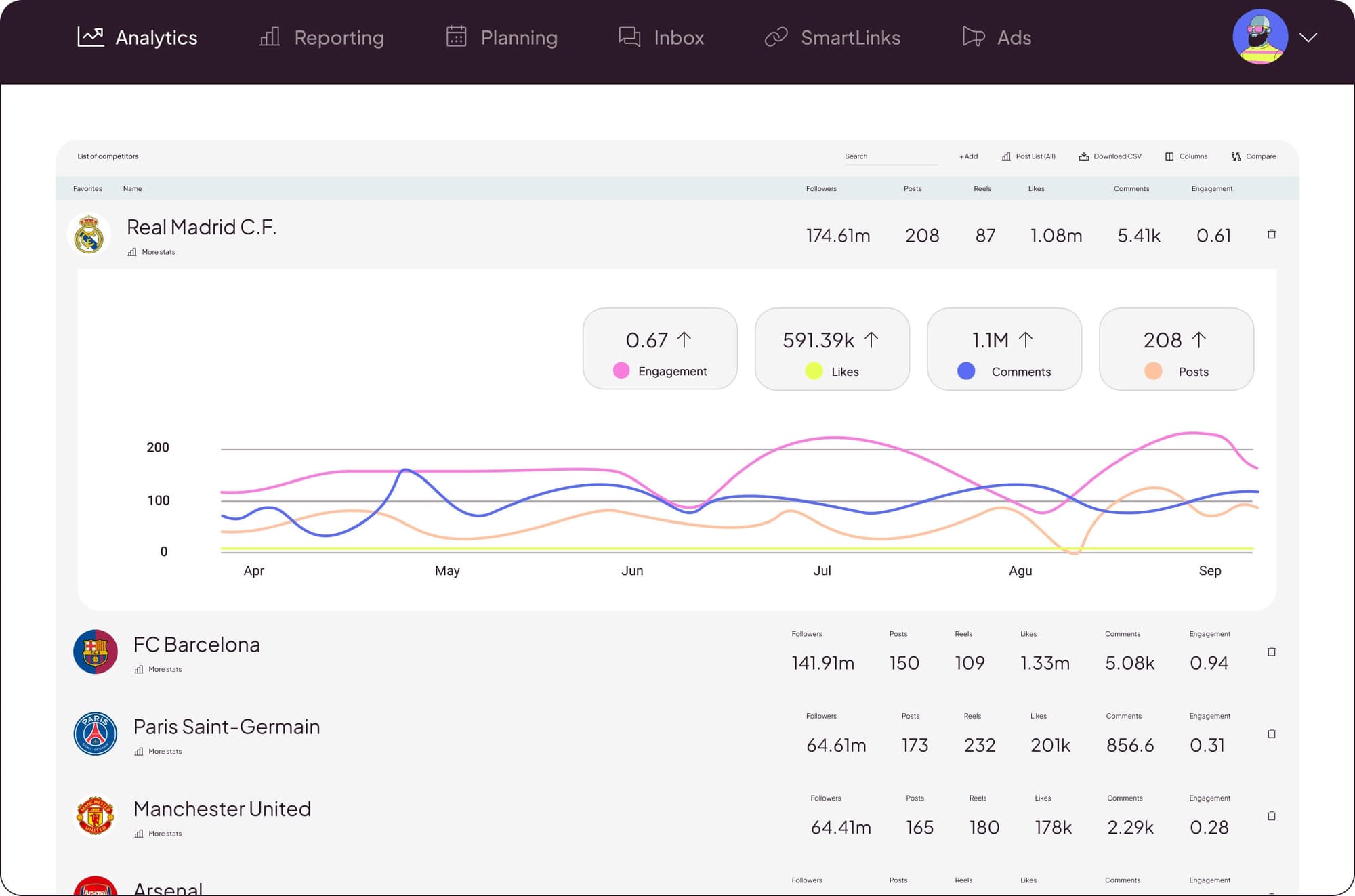
It allows you to publish on all the major social networks like Facebook, Instagram, TikTok, LinkedIn, Pinterest, YouTube, Threads, Bluesky, Twitch, and Google Business Profile, and boasts some pretty advanced analytics. With it, you can also manage Meta, Google, and TikTok ads, which is a handy addition.
Beyond the usual offering, there are some interesting tools, like a heatmap-style content calendar that recommends the best times for you to post, competitor analysis, and a hashtag tracker.
👀
8. RecurPost
Best for creators and teams that have a video-heavy social media presence.
| Pricing information | Details |
|---|---|
| Free plan | ❌ |
| Paid plans | Starting at $9 per month (billed monthly) for 2 social accounts |
| Annual billing | Two months free |
| Free trial | ✅ 14 days |
RecurPost is a social media scheduling tool built around content that keeps running — evergreen libraries and automated DMs — plus AI image generation and custom reports that are both seriously impressive.
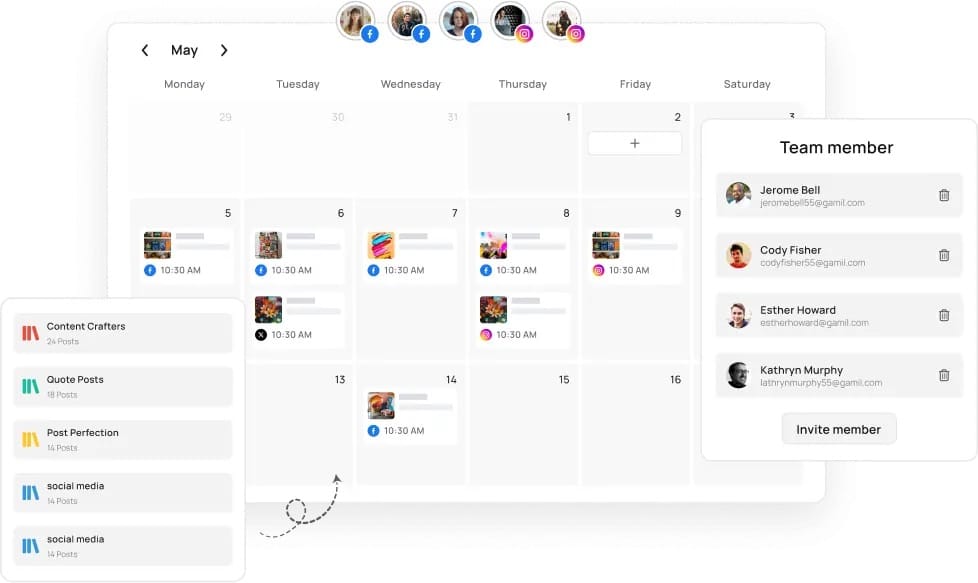
It connects with all the major platforms — Facebook, Instagram, LinkedIn, TikTok, Pinterest, X/Twitter, YouTube, Threads, Bluesky, and Google Business Profile — but where it really stands out is with its video features.
For Instagram specifically, you can post trial reels, add licensed audio, tag collaborators and products, boost posts, and set up automated DMs the moment a post goes live, which is a deeper toolkit than most schedulers offer. On YouTube, RecurPost supports full video uploads, and for TikTok, you can set privacy per post, turn off comments, and enable duets and stitches right from the composer.
If most of what you post is video, RecurPost gives you more control over publishing than most other tools on this list.
How to find the right Sprout Social alternative for you
I’ve always found round-ups like these to be a helpful starting point in choosing the right tool for my use case. But there’s no better way to figure out which one will help you reach your social media goals until you try it.
Before you do, think about what matters to how you work.
- Do you need a tool that’s free, or can you budget for it? Buffer, CoSchedule, Later, and Metricool all have free plans if you’re bootstrapping. If you have a budget, their paid plans give you more — and you’ve got the rest of the list as options too.
- How many people are on your team? If it’s solo, this doesn’t matter. If you’re building a team, per user pricing adds up fast. Buffer charges per channel, and Sendible charges per workspace instead, so they scale differently.
- Which platforms are you actually on? Most of these tools cover Facebook, Instagram, TikTok, LinkedIn. But if Instagram is 90% of your life, Later was built for that. If you’re a video creator, RecurPost gives you tools the others don’t. If you post on Mastodon, Buffer offers it.
- How much analytics depth do you need? If you’re reporting to leadership on ROI, Agorapulse and Hootsuite are built for that. If you want insights on what to do next, Buffer’s AI-powered takeaways help you with that.
- Are you an agency, or just your own brand? Agencies need things like white-label options (Sendible has them), client portals, or separate workspaces. If it’s just your own brand, this matters less.
- Do you run paid ads? If Meta Ads Manager and Google Ads are part of your workflow, Metricool lets you schedule campaigns and organic posts together.
I’d recommend finding the one on this list that feels like the best fit for you and giving yourself at least a week with the tool to understand all the nuances of the platform. You might discover some functionality I didn’t mention here that’s a game-changer for you!
You might also find that, no matter how simple the system is, it’s just not intuitive for the way your content calendar or brain works. Trial and error is key, which is why most of the tools I’ve chosen for this list have a solid free trial option. Some — including Buffer — even have free plans.
Whether you’re on a social media marketing team, agency, or a solo creator, social media management platforms are a pretty personal choice. If you land on Buffer, that’s great! We’re so happy to have you as part of our community. If not, no sweat. I hope you’ve found the tool that makes the most sense for your brand right now.
FAQs about Sprout Social alternatives
Is there a free version of Sprout Social?
No, there’s no free plan on Sprout Social. After a 30-day free trial, users have to choose a paid plan to keep using the tool.
What are some free tools similar to Sprout Social?
There are many free Sprout Social alternatives to choose from. These social media management tools often have some limitations on the number of posts per month, analytics and exports formats you get, and AI credits. Some free tools that offer X/Twitter limit it to the paid plans or offer it as a paid add-on.
Buffer‘s Free plan lets you connect up to three social channels and schedule up to 30 posts (10 per channel) at any time. There are no caps on the AI Assistant for generating ideas and publishing content, or restrictions on which platforms you can connect from those supported. CoSchedule’s free plan lets you publish to one social channel, Metricool’s supports 20 posts per month on multiple social media accounts, Later’s includes 12 posts per channel.
What is a good Sprout Social alternative?
There are many social media management tools that are good Sprout Social alternatives. Which one is good for you depends on your goals, budget, channels you’re active on, and how your team works.
Can I switch from Sprout Social without losing my content?
Yes, you can still access all your social accounts and published content directly from the platforms you’re active on. Connect to a new tool before you cancel your Sprout Social account. This way, you can copy and re-schedule any posts that are queued for publishing in Sprout Social.
Some tools — like Buffer — also bring published posts and data into the tool so you aren’t starting from scratch. How far behind these posts and data sync depends on the tool and what the social platforms allow.